 AI Communications






Compare platforms, evaluate security and integration requirements, and build a rollout strategy that scales AI across your organization without fragmenting your stack.
Your teams already use AI every day: in email, chat, project plans, and customer calls. The challenge isn’t adoption. It’s scale. How do you deploy across thousands of users while maintaining security, compliance, and control, without fragmenting your stack or inviting shadow IT?
AI-powered business tools make individuals faster. Scaling them enterprise-wide is a different problem. Define the problems you’re solving, standardize on platforms that integrate with your existing stack, and build governance in from the start.
This guide covers five enterprise-ready AI productivity tools, how to compare them, and a rollout approach you can adapt to move from experimentation to measurable impact.
Key takeaways
- Standardize AI on platforms that integrate with your existing stack rather than fragmenting your environment with disconnected point solutions
- Build governance and security controls into your rollout so you maintain compliance while enabling experimentation
- Target high-friction workflows first and measure impact before you scale
- Embed AI where work already happens to drive adoption without forcing teams to change how they collaborate
The 5 best AI productivity tools for enterprise teams
We’ve chosen five AI productivity tools that are built to handle enterprise requirements around security, integration, and change management. Here’s how they stack up.
1. RingCentral RingEX
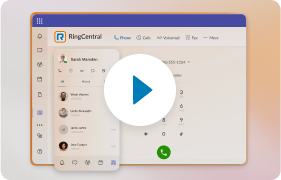
RingEX is RingCentral’s AI-powered business communications platform, unifying calling, video meetings, messaging, and fax in a single app. Its embedded AI features are designed to make every conversation, both internal and customer-facing, more efficient and more actionable.
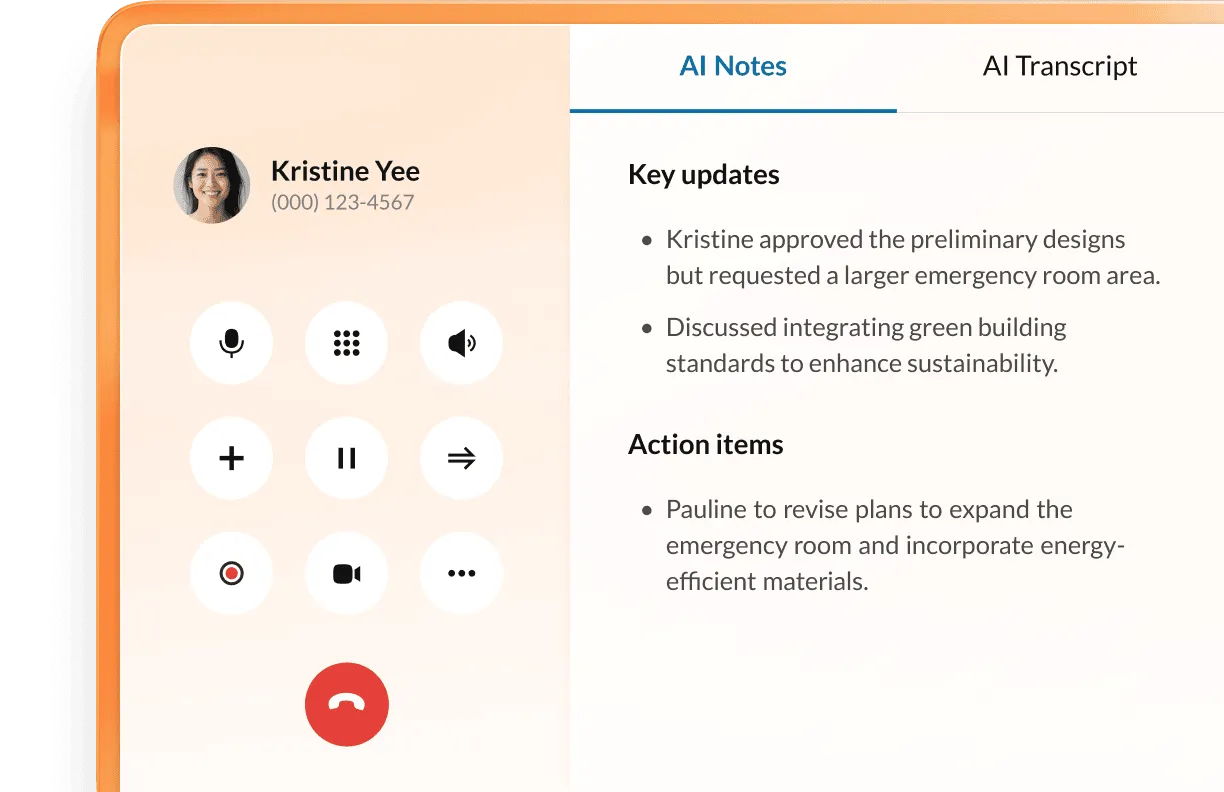
- AI Receptionist: Greets callers, answers common questions, and routes people intelligently, no manual intervention required

- AI Virtual Assistant: RingEX plans include the AI Virtual Assistant (AVA), which transcribes every meeting and call in real time, generating searchable meeting transcriptions and summaries that capture decisions, action items, and follow-ups. Teams spend less time on notes and more time executing.
- Conversation intelligence at scale: RingEX’s AI Conversation Expert (ACE) analyzes thousands of calls and meetings to surface trends, coaching moments, and process gaps you’d otherwise miss. Sales leaders see what messaging wins deals, service teams catch recurring issues before they escalate, and operations uncover friction points that slow execution.
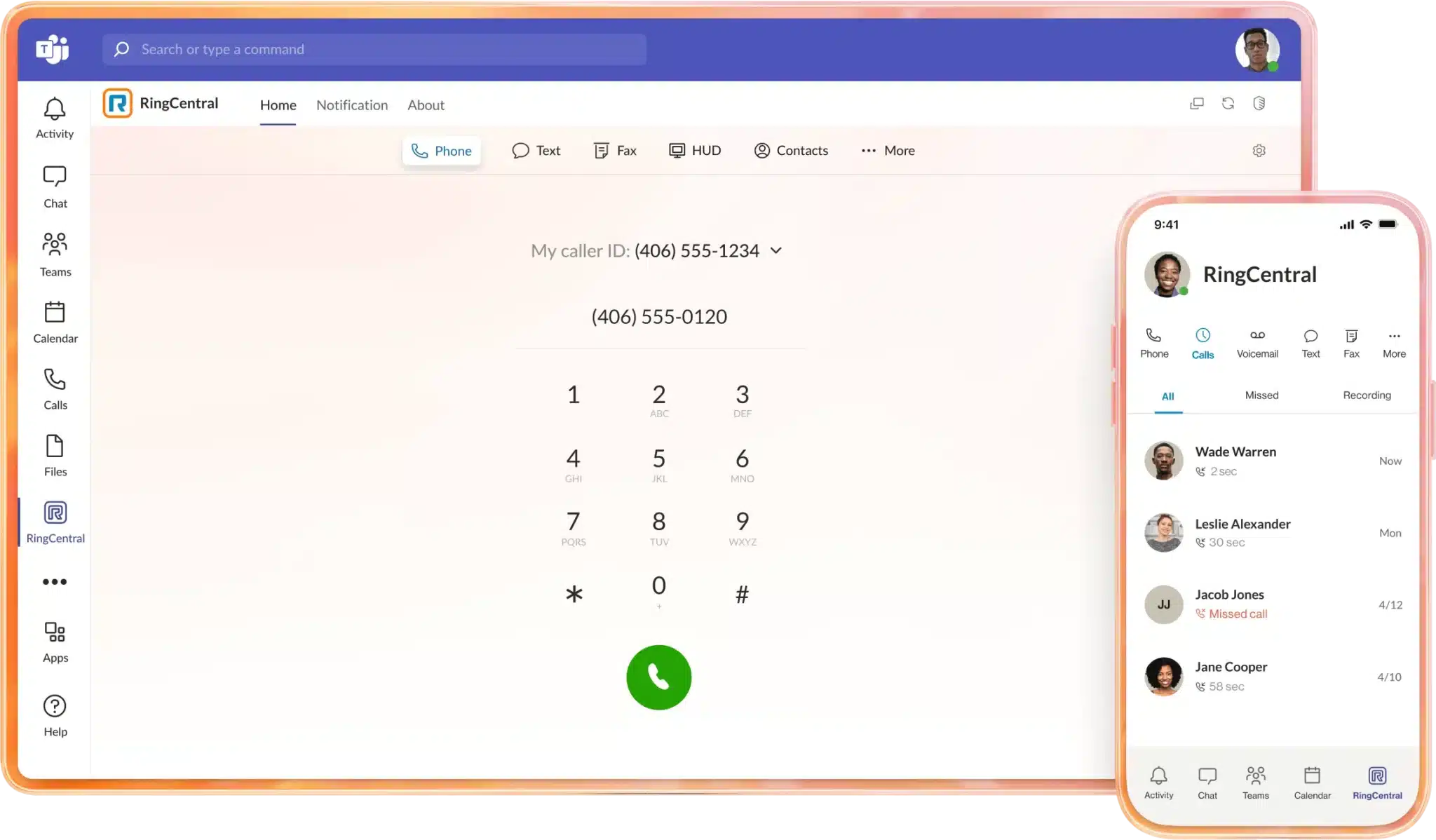
- Enterprise integrations that unify your stack: RingEX connects natively to Microsoft Teams, Google Workspace, Salesforce, and dozens of core systems. Communications, workflows, and data stay in sync across your environment so your teams work from a single source of truth instead of juggling disconnected tools.
RingEX builds AI directly into your communications layer rather than bolting it on afterward, making it easier to scale use cases and governance as you grow. Note that some advanced AI capabilities require newer plans, so loop in your IT and telecom stakeholders early.
Looking to extend AI productivity to customer-facing teams? RingCentral RingCX builds on RingEX’s unified communications foundation to deliver AI-powered contact center capabilities like intelligent routing, real-time agent assist, quality management, and workforce optimization.
2. Microsoft 365 Copilot
Microsoft 365 Copilot embeds generative AI directly into Word, Excel, PowerPoint, Outlook, and Teams. This helps transform your documents, emails, and conversations into an intelligent productivity layer that understands your organization’s context and accelerates execution.
If you’ve standardized on Microsoft 365, Copilot plugs in without friction: drafting documents and emails from your organization’s content, summarizing Teams meetings, surfacing action items, and letting finance or operations teams query Excel data in natural language.
Copilot runs on Microsoft’s existing security and compliance controls, but it carries a separate license cost and depends on well-governed data. Poorly organized information will limit the quality of its output.
3. Slack AI
Slack AI adds generative capabilities to Slack’s channel-based collaboration platform, helping enterprise teams cut through high-volume conversations without manual triage. It turns long discussions into concise summaries, answers questions in natural language grounded in your actual channels, and delivers daily recaps tailored to what you care about most.
Workflow Builder lets you combine Slack AI with low-code automation to streamline approvals, handoffs, and routine processes. Trigger workflows on specific events, route requests, collect information through forms, and automate status updates, all without writing code.
Slack AI is only available on certain paid plans and regions, so you may not get universal coverage across your global footprint. You’ll see the most value if your teams already use Slack consistently for day-to-day work. If Slack serves as your primary collaboration hub, Slack AI can reduce noise and help distributed teams focus on the conversations that matter most.
4. Notion AI
If your organization already uses Notion as a shared knowledge base, Notion AI makes it significantly more useful. Teams can rewrite, summarize, or expand content directly within pages, query docs and databases in natural language, and get answers from an AI assistant grounded in what’s already stored.
For structured data, AI-powered automation populates database properties, generates descriptions, and standardizes entries across project and asset databases. Combined with custom templates for meeting notes, project briefs, and runbooks, it reduces variability without adding process overhead.
One practical constraint: Notion AI works best when your content is already centralized. Fragmented or incomplete data limits what it can surface. Involve your security and compliance teams early, particularly around data residency and access controls.
5. Asana Intelligence
Asana Intelligence embeds AI into Asana’s work management and task management platform to help enterprise teams translate priorities into executable plans. If your organization manages cross-functional projects at scale, it adds the structure and visibility to surface risks before they impact delivery.
The platform summarizes project activity and generates status updates so leaders can quickly see what’s on track and what needs attention. You can also turn unstructured requests into structured tasks with owners and due dates using natural language, no manual setup required.
Asana Intelligence surfaces workload imbalances, bottlenecks, and dependencies across your teams before they derail execution, and it aligns initiatives to strategic goals with AI-enhanced reporting that shows you impact across programs and portfolios in real time.
Advanced AI features require specific Asana plan tiers, so confirm your current and future needs early.
Key features to look for in AI productivity tools
When you choose AI productivity tools at enterprise scale, evaluate capabilities that directly affect your security posture, data strategy, pricing, and operating model. Demand these four enterprise-grade features from any solution.
Enterprise-grade security and compliance
Your AI tools must meet the same security and compliance standards as your core systems, with:
- Encryption in transit and at rest
- Strong identity and access management
- Data residency options
- Clear data retention controls
For regulated industries, SOC 2, ISO 27001, HIPAA, or FINRA compliance is also essential.
When AI tools fall outside your security model, you invite shadow IT and uncontrolled data sharing. Prioritize vendors with transparent security documentation and robust admin controls to accelerate sign-off and reduce risk.
Unified platform integration capabilities
Embed AI where work already happens. Look for mature APIs, event streams, and pre-built integrations with platforms you’ve standardized on, like Microsoft 365, Google Workspace, Salesforce, or ServiceNow.
Without strong integration, teams bounce between tabs, copy-paste data, and manually reconcile insights. That friction erodes adoption and complicates support. A unified platform like RingEX, with embedded AI and deep integrations, standardizes how conversations, tasks, and data flow across your stack.
It’s worth looking into opportunities for customer-facing AI productivity enhancements too. The number one application of generative AI is in customer issue resolution, accounting for 35% of 530 enterprise-level AI projects in IoT Analytics’ 2025 report.
AI productivity software like RingCX build on your internal tooling to deliver productivity gains while delighting your customers with natural language conversations and more robust self-service options.
Voice-first AI and conversation intelligence
Most enterprise work happens in conversations. Voice-first AI capabilities like live transcription, summarization, and real-time guidance turn those conversations into structured, searchable data without manual note-taking.
By layering conversation intelligence on top of unified communications, you spot patterns across thousands of interactions: recurring customer issues, coaching opportunities, and process friction points.
Scalable deployment and governance controls
The best AI tool fails without a safe, consistent rollout. You need tenant-level controls over which features you enable, which data sources you use, and how you retain and share information. Role-based access, audit logs, and clear admin workflows are non-negotiable.
Without strong governance, AI adoption explodes in pockets and stalls elsewhere, making it impossible to measure impact or control risk. Prioritize vendors that support phased rollout, granular permissions, standardized templates, and policy-based controls so you can move fast without losing oversight.
How to implement AI productivity tools across your organization
Enterprise-wide AI adoption demands clear goals, a structured implementation plan, and change management that supports your people as much as your technology. Take this baseline implementation path and tailor it to your organization.
Step 1: Assess organizational readiness
Define what you’re trying to improve. Target specific pain points, like meeting overload, customer call handling, knowledge retrieval, or project throughput. Then translate them into three to five measurable objectives, like reducing average handle time or consolidating overlapping tools.
Step 2: List tool requirements
Inventory your current stack. Map where communication, collaboration, and customer interactions happen today, and identify systems of record that AI tools must access:
- CRM platform
- IT Service Management (ITSM) tools
- Enterprise Resource Planning (ERP) software
Engage security, legal, HR, and business stakeholders early to establish guardrails: which data you’ll use, what responsible use looks like, and which user groups you’ll prioritize first.
Step 3: Design and execute your pilot program
AI has quadrupled productivity growth in industries that are most exposed to AI use, with three times more growth in revenue per employee. While you may be eager to see these sorts of gains across your entire organization, it’s important to take a smaller first step and start with a pilot program. This helps ensure future success as you continue to roll out and iterate on AI productivity workflows.
Choose one or two high-impact use cases and select a representative user group to minimize the learning curve. Then run a focused 60- to 90-day pilot with three phases:
- Setup: Configure security and integrations, define success metrics, and deliver role-specific training.
- Active use: Provide office hours or champions to answer questions and collect feedback.
- Evaluation: Review usage data, qualitative feedback, and business impact. Then decide whether to expand, adjust, or pause.
Finally, document what worked so you can replicate success across departments and regions.
Step 4: Measure ROI and adoption success
Before launch, capture baselines:
- Average meeting length
- Meetings per week
- Documentation time
- Call handle time
- Task throughput
Post-implementation, compare actuals to those baselines and supplement with user feedback. Track leading indicators like:
- Active usage
- Feature adoption (percentage of meetings using AI summaries)
- Reduction in manual work
Then connect those to downstream outcomes like faster decision-making or improved customer satisfaction. Share results regularly with both executives and frontline teams to maintain momentum throughout the rollout.
Start with AI-powered communications to drive enterprise-wide productivity
Scaling AI across your enterprise demands an AI-driven foundation that integrates security, governance, and measurable impact. Your communications layer offers the highest-leverage starting point. Every call, message, and meeting generates opportunities to boost productivity, reduce manual work, and surface actionable insights.
RingCentral RingEX gives you that foundation. It allows you to unify calling, meetings, and messaging in a single platform, with AI capabilities like live transcription, meeting summaries, and conversation intelligence without adding separate tools.
AI productivity tools FAQs
How do you ensure AI productivity tools meet enterprise security requirements?
Evaluate AI tools against the same security standards you apply to core systems. Confirm each vendor supports SSO, MFA, encryption, role-based access, and data retention controls.
Bring your security and privacy teams into vendor assessments early. Review each provider’s documentation on data usage, AI models, training practices, and incident response so you understand exactly how they store, process, and protect your information.
What’s the typical ROI timeline for AI productivity tool implementations?
Early productivity gains usually show up within one to three months of a focused rollout. Broader ROI takes six to twelve months, depending on environment complexity, number of tools in scope, and how well you’ve targeted your initial use cases. Starting with high-friction workflows and measuring before and after gives you the proof points to expand confidently.
How do you drive AI adoption across large enterprise teams?
Involve business stakeholders early, identify champions in each function, and deliver short, role-specific training that shows how AI solves real problems rather than just showcasing features.
Set clear usage guidelines, encourage experimentation within guardrails, and broadcast quick wins. Visible executive sponsorship and structured feedback loops turn early curiosity into lasting habits.
Updated Mar 19, 2026


